How do I unzip a file onto a USB-C flash drive?
When an upgrade is available for your EPM device you must unzip the upgrade file onto a USB-C flash drive.
To unzip a file to a USB-C flash drive:
-
From a computer with access to the file , insert a USB-C flash drive that is checked and clear of malicious software.
-
Locate and right click on the zipped folder required and select Extract All.
-
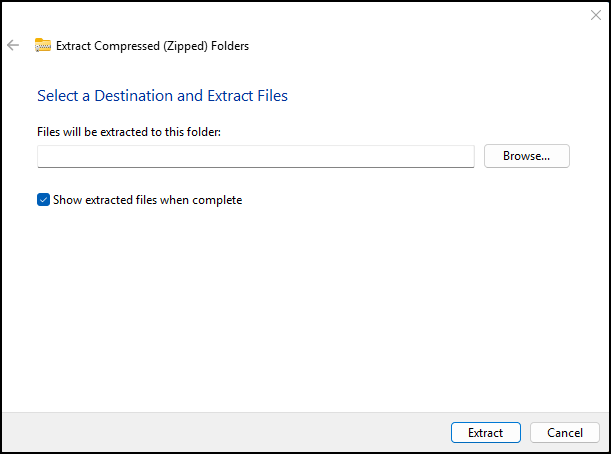
The Extract Compressed (Zipped) Folders screen displays, from Files will be extracted to this folder, navigate to your USB-C flash drive:
-
Select Extract.
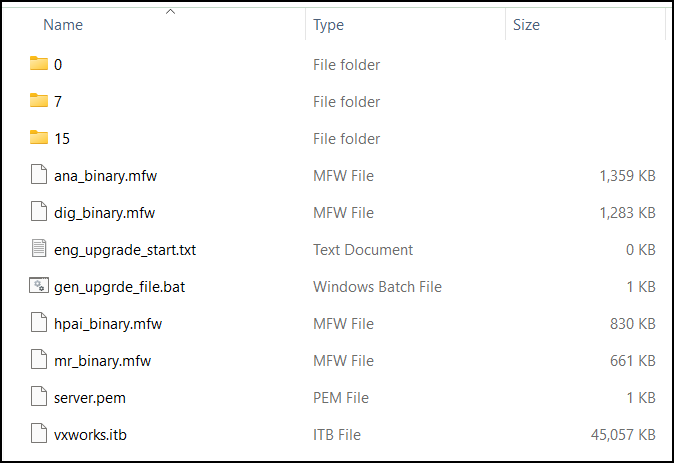
The following files unzip to the selected flash drive and can now be used to update your device:
Last update - April 2026