Activate a Disabled User Account
When a user account is set to inactive the user is not deleted and their user account can be made active again.
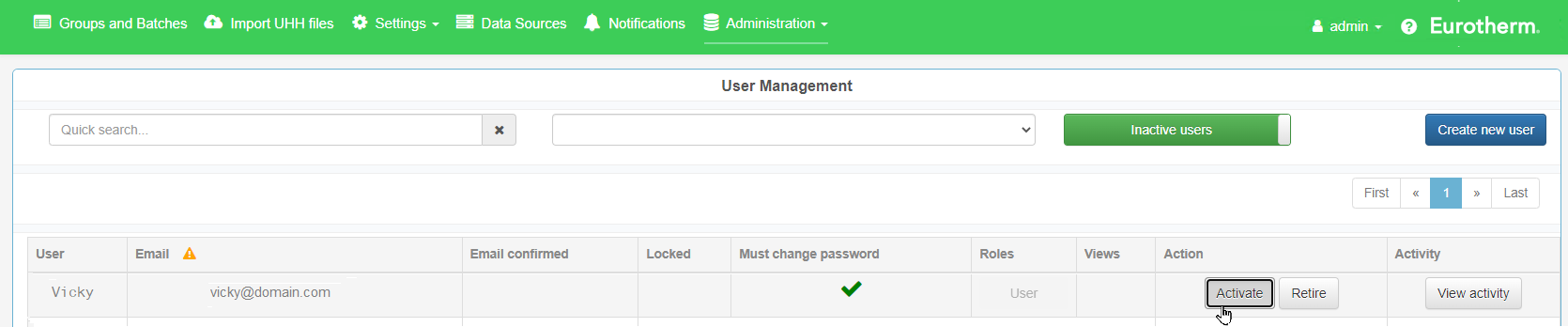
- Go to Administration > User Management.
- If required, click on the Active users / Inactive users slider (at the top of the page) to show the respective users.

- Locate the user account to be made active.
- In Quick Search..., filter the list by username and email address.
- Specify to list only users in a specific Role.
- On the user account, click on Activate.
A confirmation window opens. - Click on OK.

 Filter the user list, if required...
The user account is removed from the inactive user account list and moves to the active user account list.