Linking a Channel as an Input
If an input supports linking to another channel, a list displays from which you can select the required channel. When a channel is selected, the input becomes a dynamic data point, meaning it continuously references the current value of the linked channel. For example, inputs used by functions such as Maths, Totalizers, Applications, Jobs and Alarms can often be linked to other channels.
To link a channel:
-
Select a channel from the available list, or
-
Type part of the channel's descriptor in the Search box, for example, typing "temp" returns Temperature Sensor 1 and Temperature Sensor 2. The list automatically updates as you type:
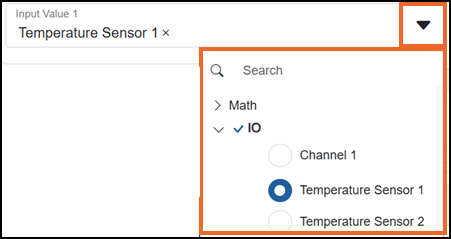
The selected channel source is now linked to the input value.
Last update - April 2026