How do I change the language on my device?
Note - You can only access this screen if you have the Can set Time and Date permission. To edit the page you need Can edit Settings permission. If you need to access this screen and cannot, please contact your system administrator.
To change the user interface language in EPM Data Management v1.0:
-
From the EPM User Interface screen, select Options
 - Settings and Users - Settings: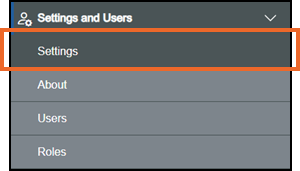
-
The Settings screen displays, select Internationalization and the Internationalization screen displays:
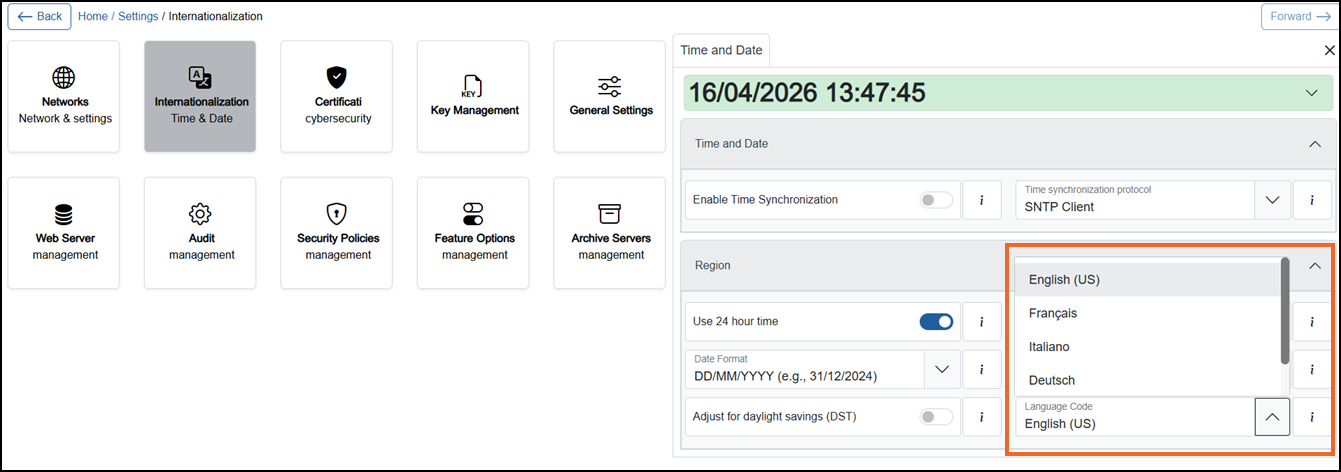
-
Select Expand
 on Region if required, and from Language Code select the language required from the available list.Note - This setting is per device, not per user.
Last update - April 2026