How do I find system information?
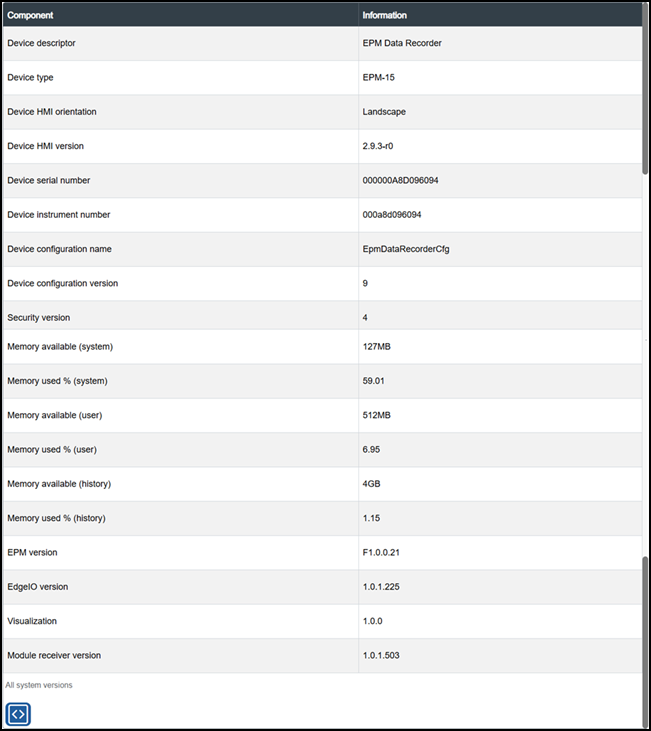
The About screen displays a detailed list of standard information, including:
-
The device you are looking at
-
The version installed
-
The memory usage
These can help you set up, troubleshoot and monitor your EPM Data Management system.
To display the About screen:
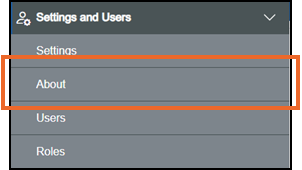
From the EPM User Interface screen, select Options  - Settings and Users - About:
The About screen displays:
Copying or Downloading System Information
If you are viewing this information from a remote client, you can copy your system information:
-
Select Copy to Clipboard
 to copy to clipboard and paste to an appropriate location.
Last update - May 2026