Reverting Changes
If configuration changes, for example, additions, deletions or modifications, have been proposed or drafted, but not yet submitted, they can be canceled by reverting them:
-
From the screen they were made - For each proposed configuration change, the previous value displays, for example, Old Value: Sine
 , select Revert
  and the previous value is reinstated, this cannot be undone.
 -
Individually from the Review Pending Changes screen - To undo individual proposed changes:
-
From any EPM User Interface, select Review pending change(s)
 .
. -
The Review Pending Changes screen displays, select the line that relates to the proposed change that is no longer required and the details display.
Tip - Ensure that you review each change carefully, once you select Revert , there is no undo option.
 -
Select Revert
. -
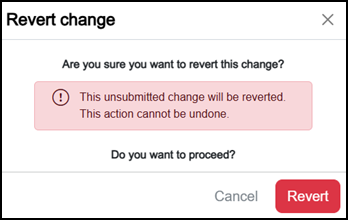
The Revert change screen displays, select Revert
 :
:
The change is reverted.
-
-
Revert all from the Review Pending Changes screen - To undo all changes:
-
From any EPM User Interface, select Review pending change(s)
. -
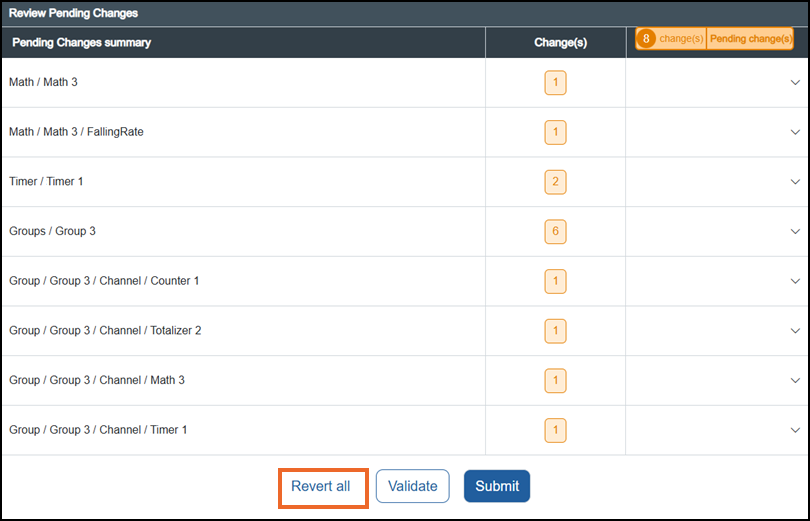
The Review Pending Changes screen displays, carefully check the items listed.
Tip - Ensure that you review each change carefully, once you select Revert All , there is no automatic undo option, each change must be recreated manually.
 -
Select Revert all
:
-
The Revert change(s) screen displays, select Revert
to continue: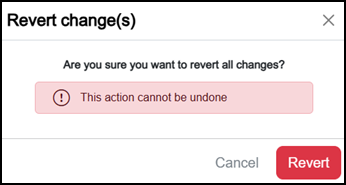
You are returned to the screen you selected Review pending change(s)
from and the Configuration lock releases.
-
Last Update - July 26