How do I reset my password?
To change your password:
-
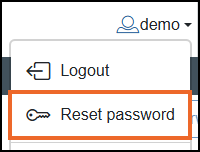
From within the EPM User Interface, select your name from the top right-hand corner and then select Reset password:
-
The Reset password screen displays:
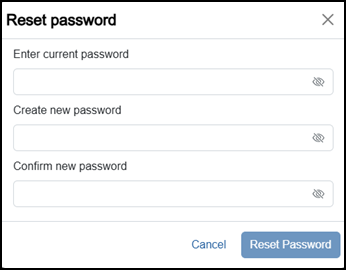
Complete as required:
-
Enter current password - Enter your current password.
-
Create new password - Enter your new password.
Tip - Your new password must comply with the criteria set by your organization in Options - Settings and Users - Settings - Security Policies.
 -
Confirm new password - Re-enter your new password.
-
-
Select Reset Password
 .
.
Your password is now updated.
Related topics - Logging in.
Last update - April 2026