Deleting Public Key
Deleting a key removes it from the Key Management list and makes it unavailable for SFTP settings. If it is no longer valid, import or select another public key. See Configuring Key Management for details.
To delete your public key:
-
From the EPM User Interface screen, select Options
 - Settings and Users - Settings: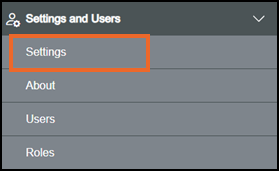
-
The Settings screen displays, select Key Management which then displays on the right-hand side of the screen:

-
Select Options
 - Delete on the key no longer required: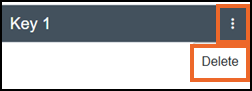
-
The Delete Public Key screen displays:
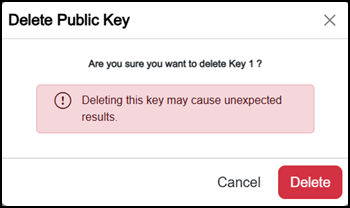
Select either:
-
Cancel to return to the Key Management screen, or
-
Delete
 to confirm.
-
-
Once complete, select Review pending changes
 screen to review updates to the configuration, and submit them. See Reviewing and Submitting Changes for details if required.Note - Reviewing and submitting can be completed in bulk once you have completed all your additions and/or updates.
Last update - August 2026