Exporting Public Key
The Export Local Key function allows users to export a public secure shell key/ secure file transfer protocol (SSH/ SFTP) key that is utilised by the device when secure file transfer protocol (SFTP) is enabled from Settings - Feature Option. It does not export private keys.
To export your public key:
-
From the EPM User Interface screen, select Options
 - Settings and Users - Settings: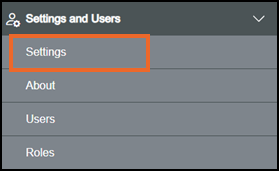
-
The Settings screen displays, select Key Management which then displays on the right-hand side of the screen:

-
Insert USB-C flash drive into your device.
-
Select Export Local Key
 .
. -
If you are not already in Configuration lock, the Configuration lock screen displays
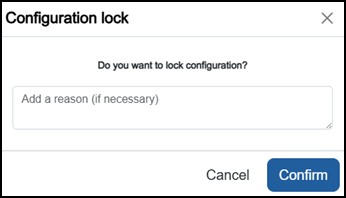
Enter a reason if required and then select Confirm
 . The system configuration is now locked pending the submission of your update and the Configuration Locked
  icon displays on the status bar.Note - Configuration lock does not affect the operation of the EPM device.See Configuration Lock for details.
 -
The Key exported successfully message
 displays at the top right-hand side of the screen:
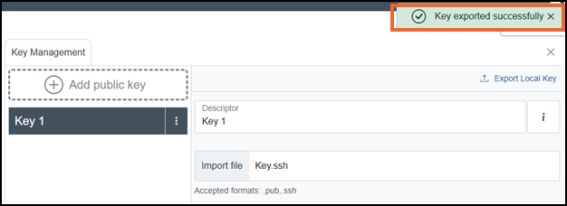 Note - The exported file name is derived from the key’s Descriptor, making it easier to identify its source.
Last update - August 2026