Configuring Networks
The Network Settings screen allows you to set up and manage how your device connects to the internet or local network. You can use it to check your connection, fix issues, or make advanced changes if required. To configure networks:
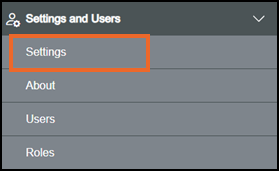
From the EPM User Interface screen, select Options  - Settings and Users - Settings:
The Settings screen displays, select Networks which then displays on the right-hand side of the screen:
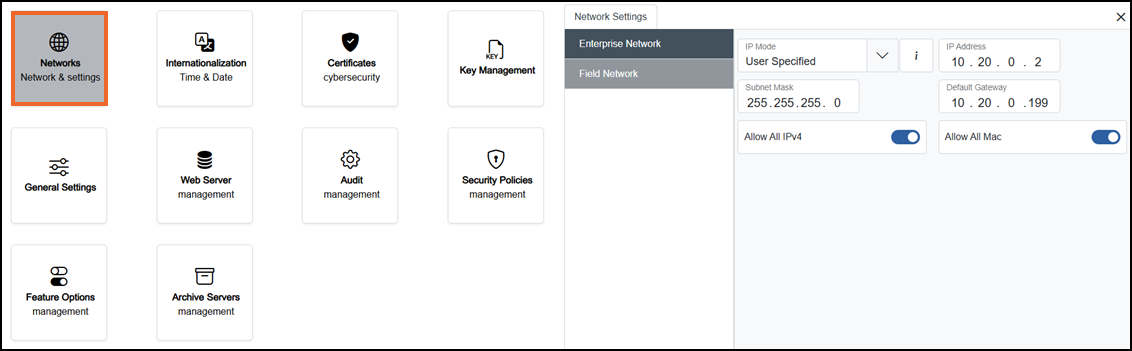
Select from the following options to expand the details:
 Enterprise Network
An Enterprise Network is your plant or office IT network. To configure EPM Data Management to work with your Enterprise Network:
-
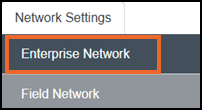
From the left-hand side of the Network screen, select EN1 - Enterprise Network:
-
If you are not already in Configuration lock, the Configuration lock screen displays
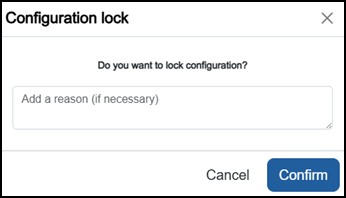
Enter a reason if required and then select Confirm
 . The system configuration is now locked pending the submission of your update and the Configuration Locked
  icon displays on the status bar.Note - Configuration lock does not affect the operation of the EPM device.See Configuration Lock for details.
 -
Complete as appropriate:
-
IP Mode - Select from:
-
User Specified (default) - Manually enter the IP Address
Internet Protocol Address (IP Address) - A unique number that identifies a device on a network so it can send and receive data., Dynamic Host Configuration Protocol (DHCP) Dynamic Host Configuration Protocol (DHCP) - It automatically assigns a device an IP address and other network settings, such as the subnet mask and default gateway.:- IP Address - Defaults to 10.20.0.2, update if required.
-
Subnet Mask - Defaults to 255.255.255.0, update if required.
-
Default Gateway - Defaults to 10.20.0.199, update if required.
-
-
DHCP - The device automatically gets an IP address from the DHCP server. The IP Address, Subnet Mask and Default Gateway cannot be updated.
-
-
If required specify the addresses permitted to access the network or system;
-
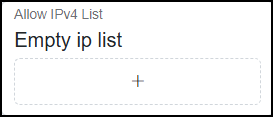
From the Allow IPv4 List, select Add
 :
:
-
Enter the permitted addresses you require:
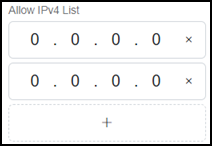 Tip - You can add multiple addresses. To remove addresses select Close
 .
.
 . Field Network
An Field Network is your medium to communicate with process/control devices. Both FN ports at the back of your device share same Internet Protocol address and act like a small built-in switch. This lets you daisy-chain Daisy-chain - It is a way of connecting multiple devices one after another in a line, instead of wiring each one back directly to a central switch or controller. devices on the same network, reducing cabling and simplifying field-network wiring.
To configure EPM Data Management to work with your Field Network:
-
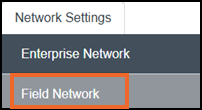
From the left-hand side of the Network screen, select FN1 - Field Network:
-
If you are not already in Configuration lock, the Configuration lock screen displays
Enter a reason if required and then select Confirm
. The system configuration is now locked pending the submission of your update and the Configuration Locked icon displays on the status bar.Note - Configuration lock does not affect the operation of the EPM device.See Configuration Lock for details. -
Complete as appropriate:
-
IP Mode - Select from:
-
User Specified (default) - Manually enter the IP Address
Internet Protocol Address (IP Address) - A unique number that identifies a device on a network so it can send and receive data.,Dynamic Host Configuration Protocol (DHCP) Dynamic Host Configuration Protocol (DHCP) - It automatically assigns a device an IP address and other network settings, such as the subnet mask and default gateway.:- IP Address - Defaults to 10.10.0.2, update if required.
-
Subnet Mask - Defaults to 255.255.255.0, update if required.
-
Default Gateway - Defaults to 10.10.0.199, update if required.
-
-
DHCP - The device automatically gets an IP address from the DHCP server. The IP Address, Subnet Mask and Default Gateway cannot be updated.
-
-
If required specify the addresses permitted to access the network or system;
-
From the Allow IPv4 List, select Add
:
-
Enter the permitted addresses you require:
Tip - You can add multiple addresses. To remove addresses select Close.
Once complete, select Review pending changes  screen to review updates to the configuration, and submit them. See Reviewing and Submitting Changes for details if required.
Last update - September 2026