Using the Counters Operator Panel
The operating panel on a channel screen displays the live value and has options to perform common actions appropriate to that channel. To view and utilize a Counter operating panel:
- From the EPM User Interface screen, select Options
 - Functions - Counters: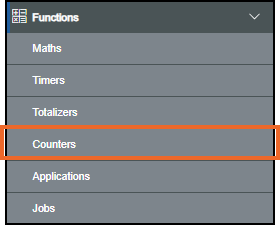
The Counters screen displays, select the counter required from the left-hand side to display the details including the operating panel on the right-hand side:
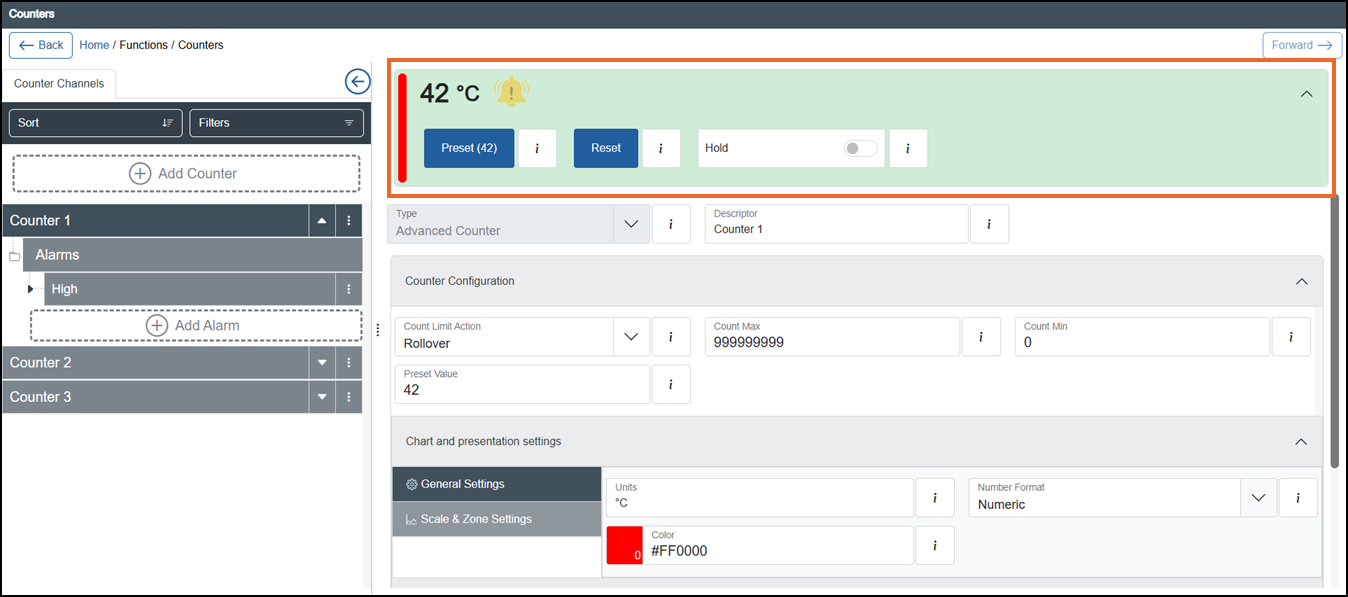 Tip - Remember you can use Sort or Filters to find a specific counter, see Sorting and Filtering Counters for details.Tip - Select Expand
 to display the operator panel if required.
The operator panel displays the following for the selected Counter channel:
Live value - The live value of the channel since the last Reset:

Alarm status - The current state of any alarms configured for this counter:
 See Understanding Alarm Symbols for details.
Preset - Select to return the Counter to the predefined Preset value. The Preset Confirmation screen displays, select Preset
 to continue:
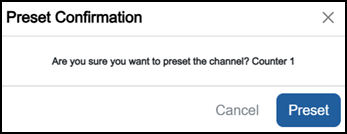 Note - You can only access this option if you have the Can preset Counters permission. If you need to access this function and cannot, please contact your system administrator.
Reset - Select to manually reset this Counter to zero. The Reset Confirmation screen displays, select Reset
 to continue:
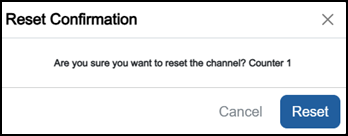 Note - You can only access this option if you have the Can reset Counters permission. If you need to access this function and cannot, please contact your system administrator.
Hold - Select to hold the Counter output at its current value:
Hold
 - Counter is not held.
Hold
 - Counter is held.
Note - You can only access this option if you have the Can hold Counter permission. If you need to access this function and cannot, please contact your system administrator.
Last update - June 2026