Editing a Counter Channel
To edit the configuration of an existing Counter channel:
Note - You can only access this function if you have the Can access Counters permission. You can only add or update a counter if you have the Can configure permission. If you need to access these functions and do not have permission, please contact your system administrator.
A Counter channel counts the number of signals from an input, it can count up or down from a preset value.
To edit a Counter channel:
- From the EPM User Interface screen, select Options
 - Functions - Counters: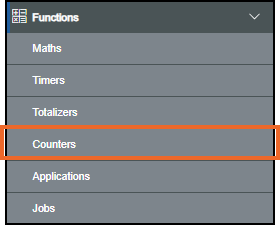
- The Counters screen displays. From the list in the left-hand pane, select the counter required and the details display in the right-hand pane:
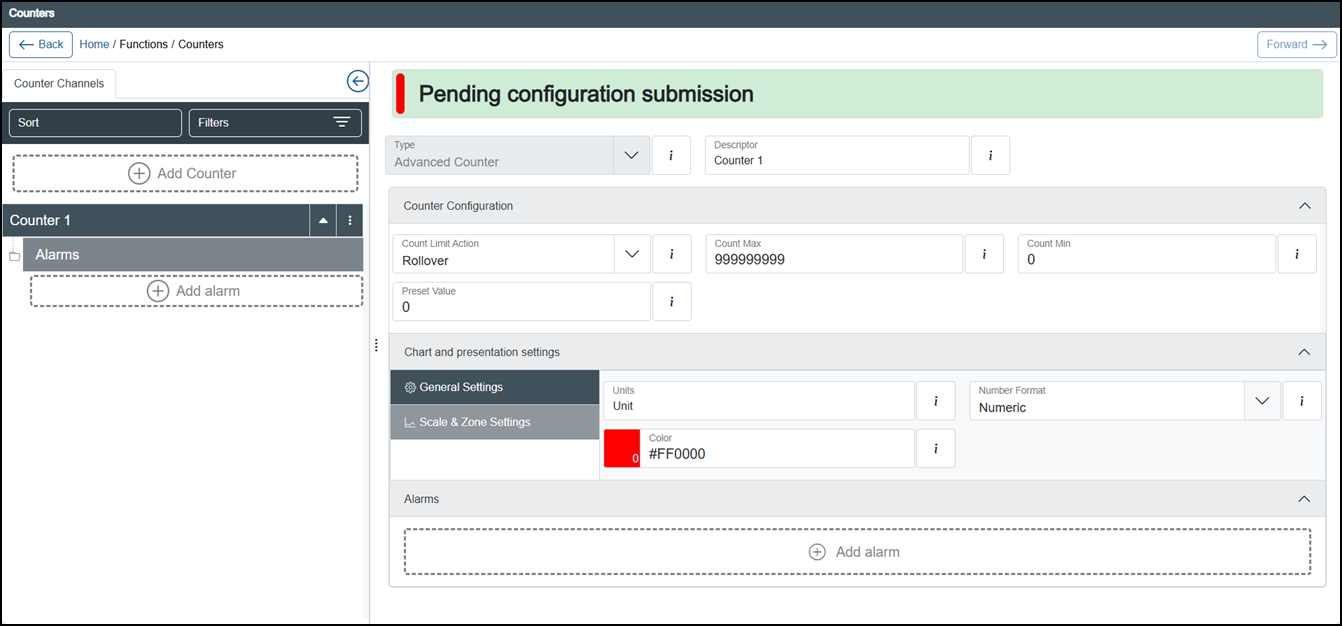 Note - Counters with alarms configured display a down arrow
 , select to display the alarms and an up arrow
  displays.Tip - Remember you can use Sort or Filters to find a specific counter, see Sorting and Filtering Counters for details.
 -
Update any details required, see Configuring a Counter Channel for details.
-
Once complete, select Review pending changes
 screen to review updates to the configuration, and submit them. See Reviewing and Submitting Changes for details if required.Note - Reviewing and submitting can be completed in bulk once you have completed all your additions and/or updates.
See Counters, Configuring a Counter Channel, Searching and Filtering the Counters Screen, Deleting a Counter Channel and Using the Counters Operator Panel for details.
Last update - March 2026