Deleting an Application Channel
When you delete a channel, any dependent configuration is updated to maintain data integrity and prevent broken references as explained below:
-
When you delete a channel, the link to any data it recorded is removed. Recreating a channel with the same Descriptor does not restore the link to the data. The association is permanently lost upon deletion.
-
If the channel you delete is part of a group, it is removed from that group.
-
If the channel is used as an input for another channel, for example, Counters or Totalizers, their references are cleared and replaced with a default value.
-
If the channel or its Alarm is used to trigger a Job, the trigger is removed. The Job itself remains, but may not run automatically if all its triggers are deleted.
| NOTICE |
|---|
|
RISK OF DATA LOSS OR CORRUPTION
Failure to follow this instruction can result in data loss |
To delete an Application channel:
- From the EPM User Interface screen, select Options
 - Functions - Applications: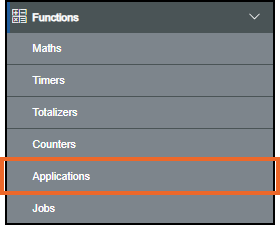
-
The Applications screen displays, from the left-hand side pane, locate the Application channel to delete:
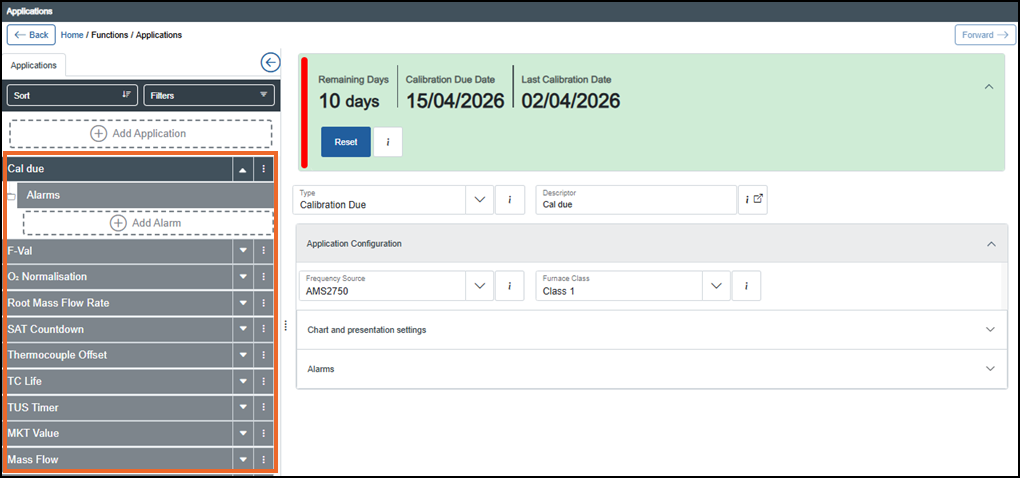 Tip - You can use Sort or Filters to find a specific channel, see Sorting and Filtering Applications for further details.
 -
Select Options
 - Delete on the channel no longer required: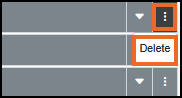
-
If you are not already in Configuration lock, the Configuration lock screen displays
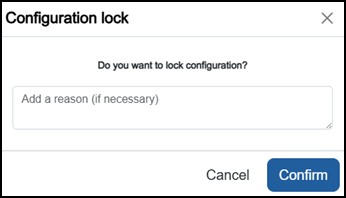
Enter a reason if required and then select Confirm
 . The system configuration is now locked pending the submission of your update and the Configuration Locked
  icon displays on the status bar.Note - Configuration lock does not affect the operation of the EPM device.See Configuration Lock for details.
 -
The Delete Channel screen displays:
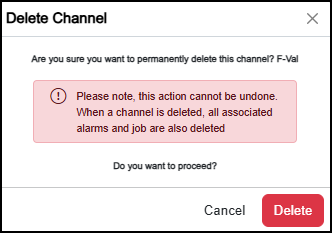
Select either:
-
Cancel to exit without making any changes, or
-
Delete
 to confirm.
The selected channel, along with its Alarms or Jobs, is now removed from the view.
Note - Only Alarms or Jobs attached exclusively to this channel are deleted. Shared Alarms or Jobs are retained. -
-
Once complete, select Review pending changes
 screen to review updates to the configuration, and submit them. See Reviewing and Submitting Changes for details if required.Reviewing and submitting can be completed in bulk once you have completed all your additions and/or updates.
Last update - April 2026