Deleting a Totalizer Channel
To delete a Totalizer channel:
- From the EPM User Interface screen, select Options
 - Functions - Totalizers: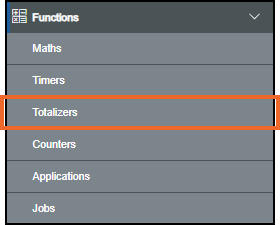
- The Totalizers screen displays:
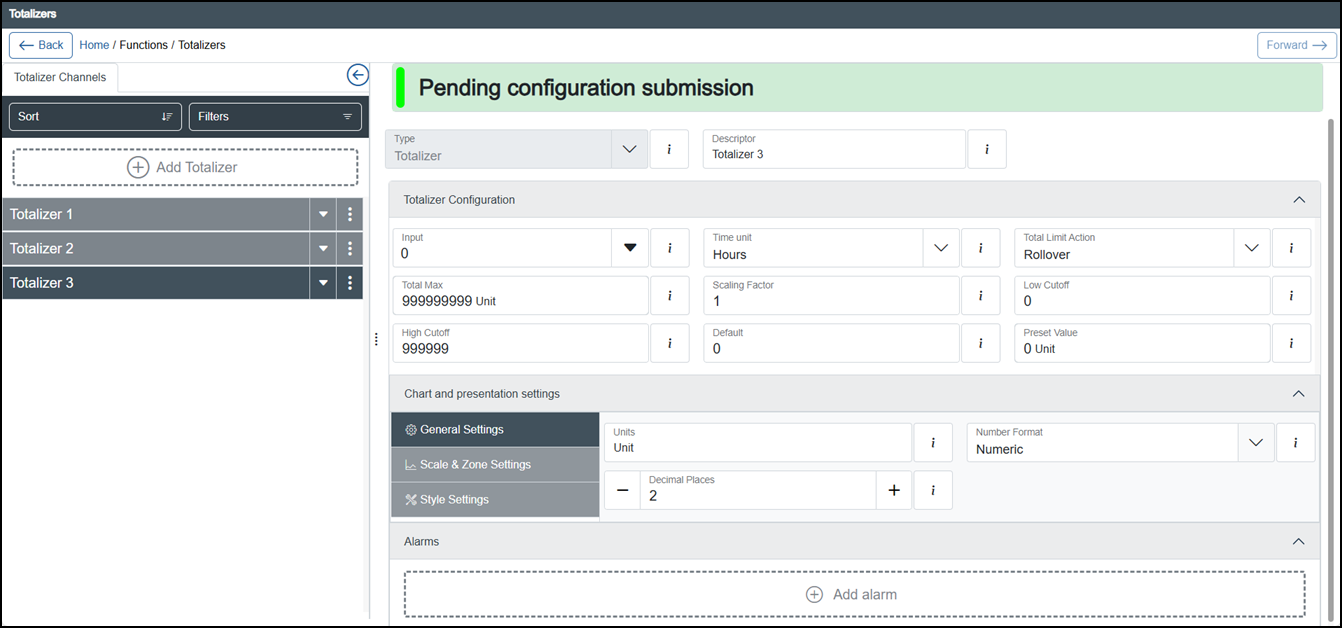
From the list in the left-hand pane, locate the totalizer to delete.
Tip - You can use Sort or Filters to find a specific totalizer, see Sorting and Filtering Totalizers for details. -
Select Options
 - Delete 'descriptor' on the totalizer no longer required: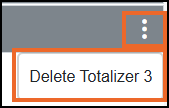
-
The Delete Channel screen displays:
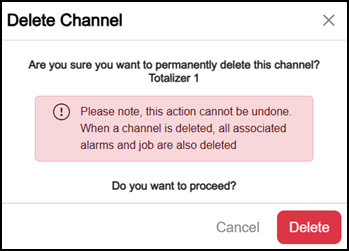
Select either:
-
Cancel to return to the Totalizers screen, or
-
Delete
 to confirm.Note - All Alarms and Jobs associated with this channel are also deleted.
-
-
Once complete, select Review pending changes
 screen to review updates to the configuration, and submit them. See Reviewing and Submitting Changes for details if required.Reviewing and submitting can be completed in bulk once you have completed all your additions and/or updates.
Last Update - February 2026