Configuring Key Management
Key Management is where you manage the device’s public secure shell keys (SSH keys) SSH key - SSH keys are a pair of cryptographic keys used to securely authenticate and encrypt connections over SSH. Each pair consists of a private key, which must be kept secret on the device, and a public key, which is safe to share. used for secure file transfer protocol (SFTP) archiving and SFTP server connections. You can create, import, export and delete keys that are used for secure communication, authentication.
To add your public key:
-
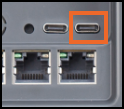
Insert the USB-C flash drive into the right-hand side USB-C socket of your EPM Device:
-
From the EPM User Interface screen, select Options
 - Settings and Users - Settings: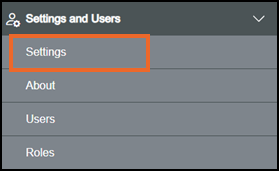
-
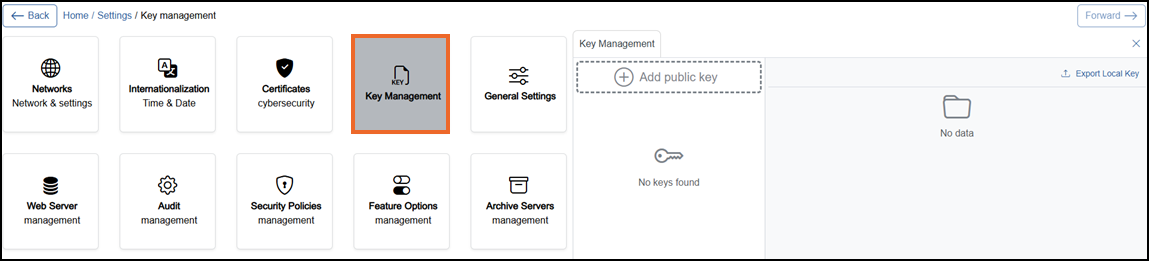
The Settings screen displays, select Key Management which then displays on the right-hand side of the screen:
-
Select
 Add public key.
 -
If you are not already in Configuration lock, the Configuration lock screen displays
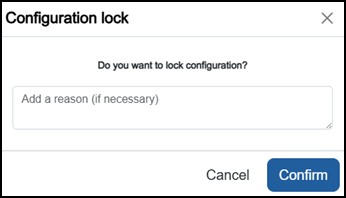
Enter a reason if required and then select Confirm
 . The system configuration is now locked pending the submission of your update and the Configuration Locked
  icon displays on the status bar.Note - Configuration lock does not affect the operation of the EPM device.See Configuration Lock for details.
 -
The Add public key screen displays:
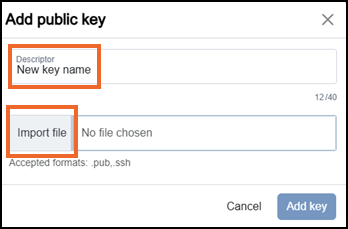
Complete as required:
-
Descriptor - Enter a unique name for this public key to identify it (maximum characters 40).
-
Import file - Select, and the Select file screen displays:

Select either:
-
Add
 to add the .pub key, or
 -
Cancel
 to return to the previous screen.
Tip - If required, you can edit the Descriptor after adding the public key. -
-
-
Select Add key
 to add your chosen key or Cancel to return to the main screen:
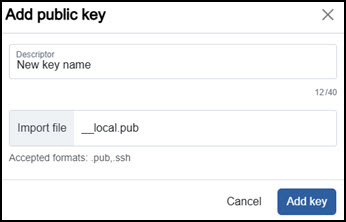 Note - Only public keys are handled by Key Management and these are primarily used for SFTP-based protocols. See Configuring Archive Servers for further details.
Last update - August 2026