How do I configure an alarm to trigger a watchdog/user relay?
This user-case example details how to configure an on-board watchdog/user relay to annunciate when any alarm on the system activates.
-
From the Jobs screen, create a Job with the Descriptor of 'Drive Watchdog on Alarm Active', see Configuring Jobs for details.
-
From Trigger sources - action conditions, from Source 1 - Select source choose Global alarms/Global alarm, see Configuring Jobs for details.
-
Select Add action and Action 1 displays under the Jobs pane.
-
Select Action 1 and complete as follows:
-
Descriptor - Enter 'Drive Onboard/Watchdog Relay'.
-
Category - Select Watchdog Relay.
-
Select Drive Output (Digital)- Select the channel the watchdog/user relay is triggered by.
-
-
Save and commit the configuration.
-
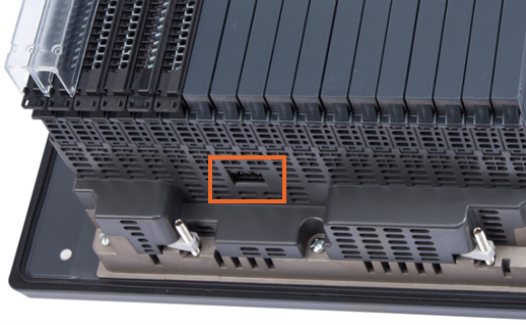
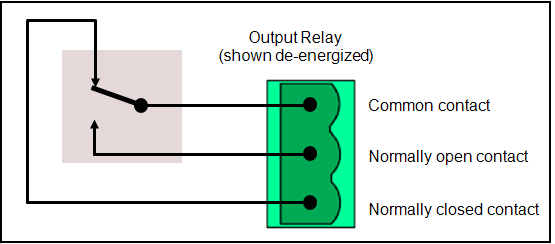
Finally, from the relay socket on the bottom of the device, wire the watchdog/user relay to the alarm annunciator and then test that when any alarm activates on the system, the watch-dog relay is energized and when there are no active alarms, the relay is not energized: