Configuring your Super User
Configuring Super User (7:29)
The first time you power up your EPM Solution, or after a factory reset is run, you are prompted to create a Super User. This is a user account allocated to the Engineer Role with the highest level of permissions and cannot be deleted from the system:
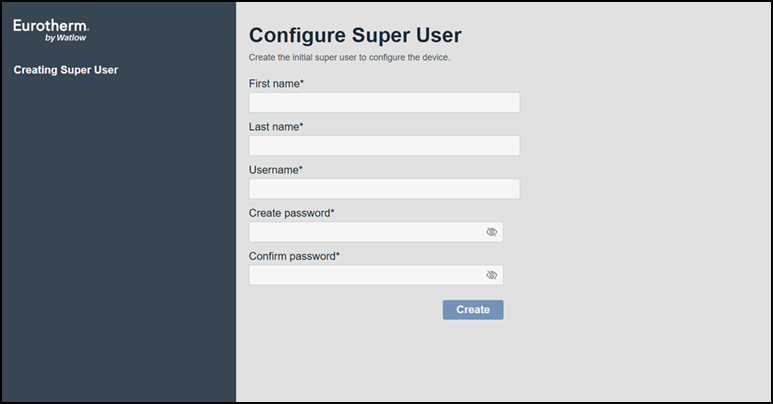
Complete as appropriate:
| NOTICE |
|---|
|
CYBERSECURITY RISK Do not use staff specific details for Super Users. Failure to follow these instruction can result in breach of privacy |
-
First name - Enter the first name of your designated Super User.
-
Last name - Enter the last name of your designated Super User.
Tip - If a decision is yet to be made regarding your Super User, use your own name to complete these fields and update them once a decision is made, seeViewing or Editing a User from the EPM User Interface for details. -
Username - Enter a generic user name. This must be unique and should not relate to a specific member of staff as the Username cannot be changed.
Select Create to complete the process.
Last update - April 2026