Deleting Actions
An Action defines the response to a Job being triggered.
To delete an Action from your system:

Navigate to the relevant channel to update or delete any Job or Action required.
-
From the EPM User Interface screen, select Options
 - Functions - Jobs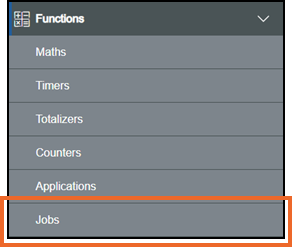
-
The Jobs screen displays, locate the Job with the Action to delete
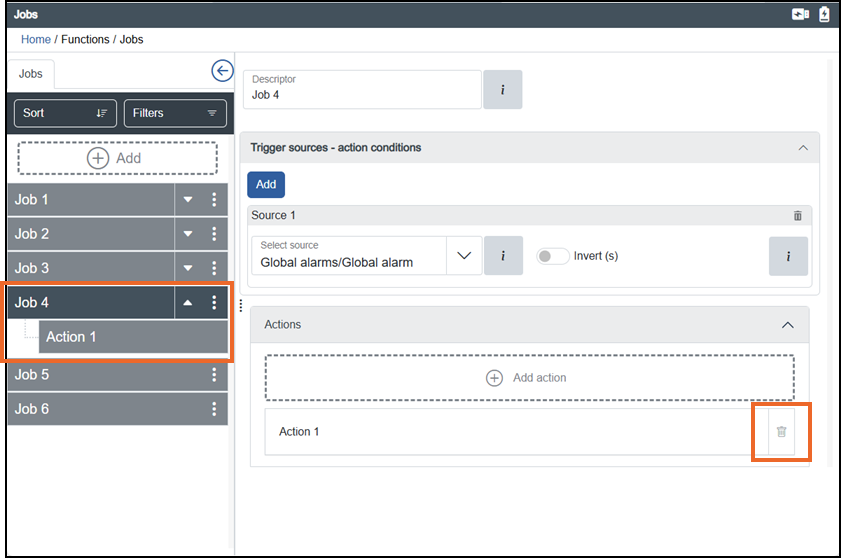 Tip - You can use Sort or Filters to find a specific job, see Sorting and Filtering the Jobs for details.
 -
Select the Job, with the Action to delete and then either:
-
From the Action on the left-hand pane, select Options
 - Delete: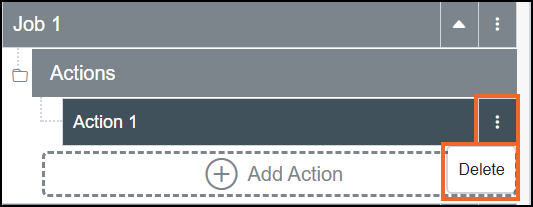
-
Scroll to the bottom of the right-hand pane, and against the Action no longer required, select Delete
 .
.
-
-
If you are not already in Configuration lock, the Configuration lock screen displays
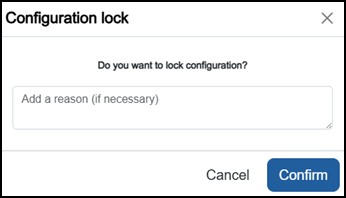
Enter a reason if required and then select Confirm
 . The system configuration is now locked pending the submission of your update and the Configuration Locked
  icon displays on the status bar.Note - Configuration lock does not affect the operation of the EPM device.See Configuration Lock for details.
 -
The Delete Action screen displays:
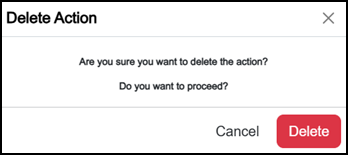
Select Delete
 .
. -
Once complete, select Review pending changes
 screen to review updates to the configuration, and submit them. See Reviewing and Submitting Changes for details if required.Note - Reviewing and submitting can be completed in bulk once you have completed all your additions and/or updates.
The Action is now removed from theJob.
Last update - May 2026