Duplicating I/O Modules
The Duplicate option allows you to copy a module and its channel configurations to an adjacent empty or dummy slot.
When you duplicate a module:
-
The duplicated module has the same module type and copies all module/channel parameters.
-
The slot number is updated automatically.
-
Channel descriptors must remain valid and unique. If duplication creates duplicate or invalid descriptors, validation warns and you must correct them before submitting.
To duplicate an I/O module:
-
From the EPM User Interface screen, select Options
 - Device I/O - Hardwired I/O: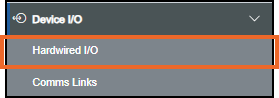
-
The Hardwired I/O screen displays, on the module to duplicate, select Options
 - Duplicate: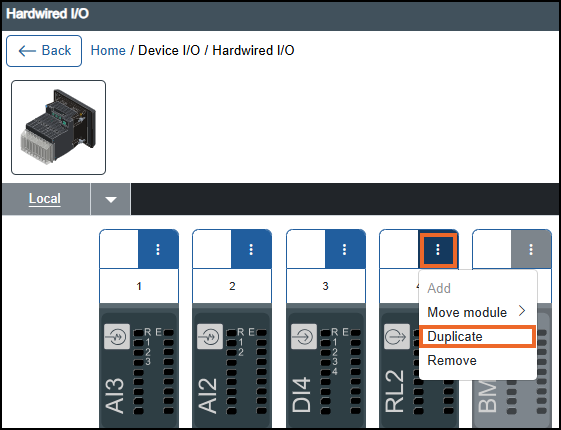
-
If you are not already in Configuration lock, the Configuration lock screen displays
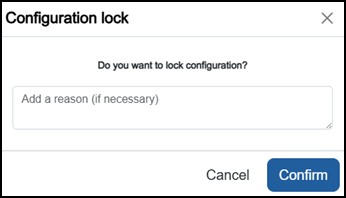
Enter a reason if required and then select Confirm
 . The system configuration is now locked pending the submission of your update and the Configuration Locked
  icon displays on the status bar.Note - Configuration lock does not affect the operation of the EPM device.See Configuration Lock for details.
 -
Once complete, select Review pending changes
 screen to review updates to the configuration, and submit them. See Reviewing and Submitting Changes for details if required.Note - Reviewing and submitting can be completed in bulk once you have completed all your additions and/or updates.
Last update - April 2026