I/O Channels and Modules
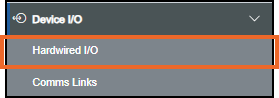
To access Channels and Modules, from the EPM User Interface, select Options  - Device I/O - Hardwired I/O:
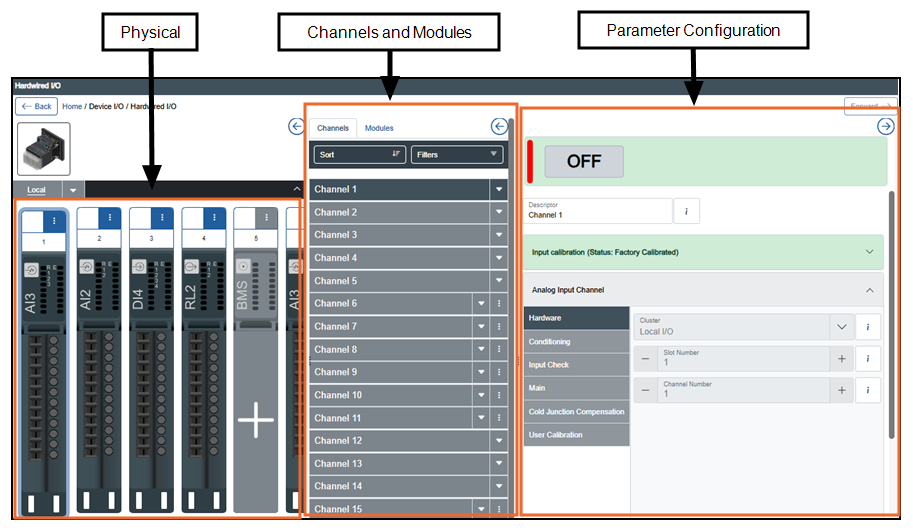
The Hardwired I/O screen displays. This consists of three main sections the Physical pane, Channels and Modules pane and Parameter Configuration pane:
 or Collapse
  to show or hide a pane.
 or Collapse
  to show or hide any images: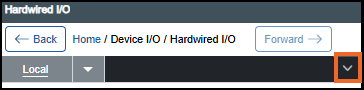
-
Physical View - Allows you to manage I/O modules on a local cluster, see I/O Modules for details. For information on installing I/O modules on the device, see Installing EPM Data Management.
-
Channels and Modules View - Displays all available channels and modules.
-
Parameter Configuration View - Enables configuration of channels. The details that display depend on the type of I/O:
-
Operator Panel - Displays the live value of a channel when valid data is available. You can initialize a value during configuration and change it during operation. For example, an operator initializes a channel value to 20 during configuration and later updates it to 22 using the Operator Panel while the system is running.
-
Input Calibration (only available for analog input modules/channels) - Ensures input readings are accurate by comparing them with a known reference and adjusting them if required, see Calibrating I/O Modules for details.
-
Configuration Panel - Allows you to configure the parameters associated with a channel, see I/O Channels for details.
-
Chart and Presentation Settings - Allows you to define how data displays, for example, color, units, scale and zone attributes, see Configuring Chart and Presentation Settings for details.
-
Alarms - Allows you to add, configure and delete alarms for a channel, see Configuring an Alarm for details.
Last update - April 2026
-