Deleting a Group Channel
To delete a channel from a Group:
-
From the EPM User Interface screen, select Options
 - Groups: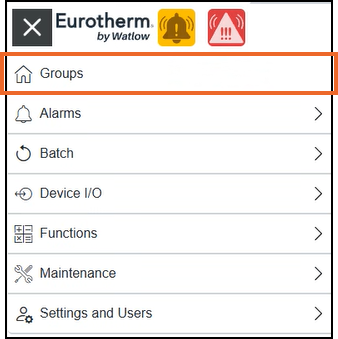
-
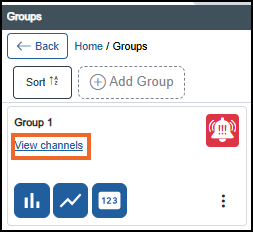
From the Groups screen, identify the required Group card and select View channels:
-
From the Group Channel screen, on the channel no longer required, select Delete
 from the end of the row: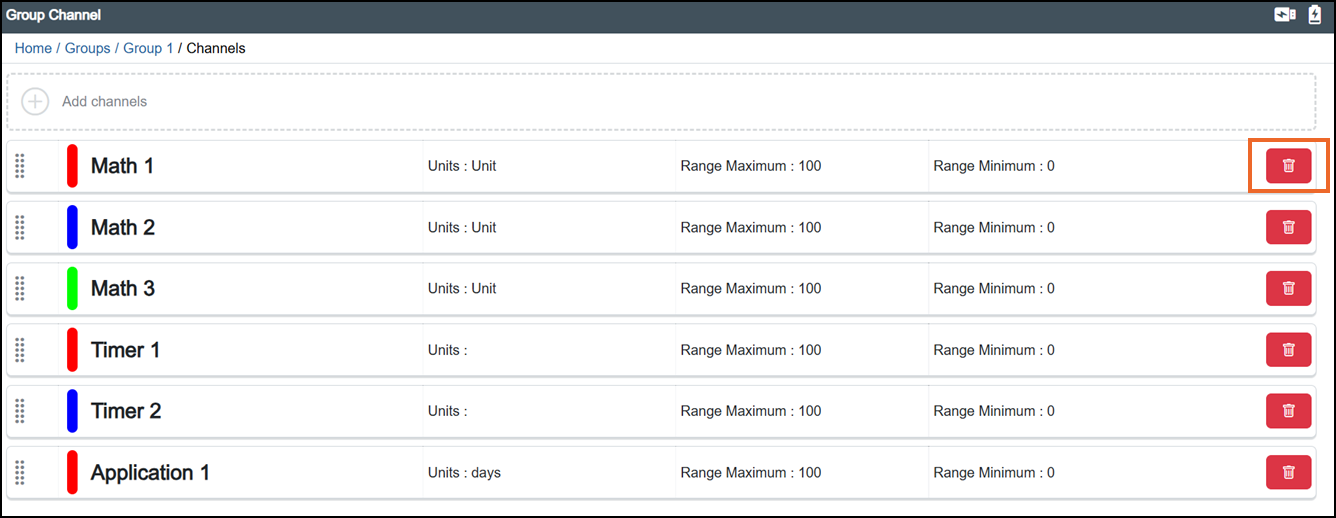
-
The Remove channel from group screen displays:
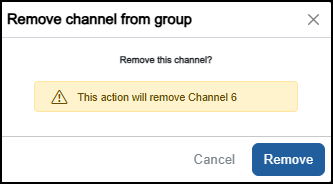
Select either:
-
Cancel to exit without making any changes, or
-
Remove to confirm. This action removes the selected channel from the Group. The channel itself is not deleted.
-
-
Once complete, select Review pending changes
 screen to review updates to the configuration, and submit them. See Reviewing and Submitting Changes for details if required.Note - Reviewing and submitting can be completed in bulk once you have completed all your additions and/or updates.
Last update - July 2026