Moving a Group Channel
Moving channels within a Group affects how data displays in charts or reports. For example, channels can be reordered for logical grouping by sensor type, location, or priority.
To move a channel within a Group:
-
From the EPM User Interface screen, select Options
 - Groups: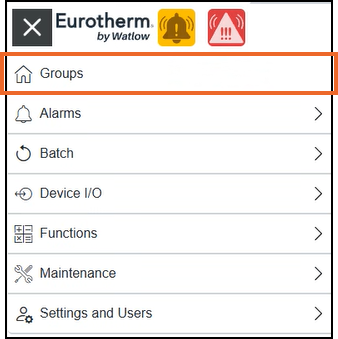
-
In the Groups screen, identify the required Group card and select View channels:
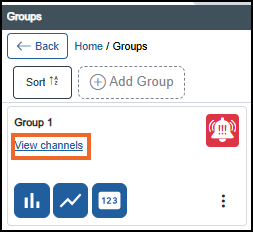
-
In the Group Channel screen, identify the channel to move, then select the handle
 and drag it up or down to the desired location: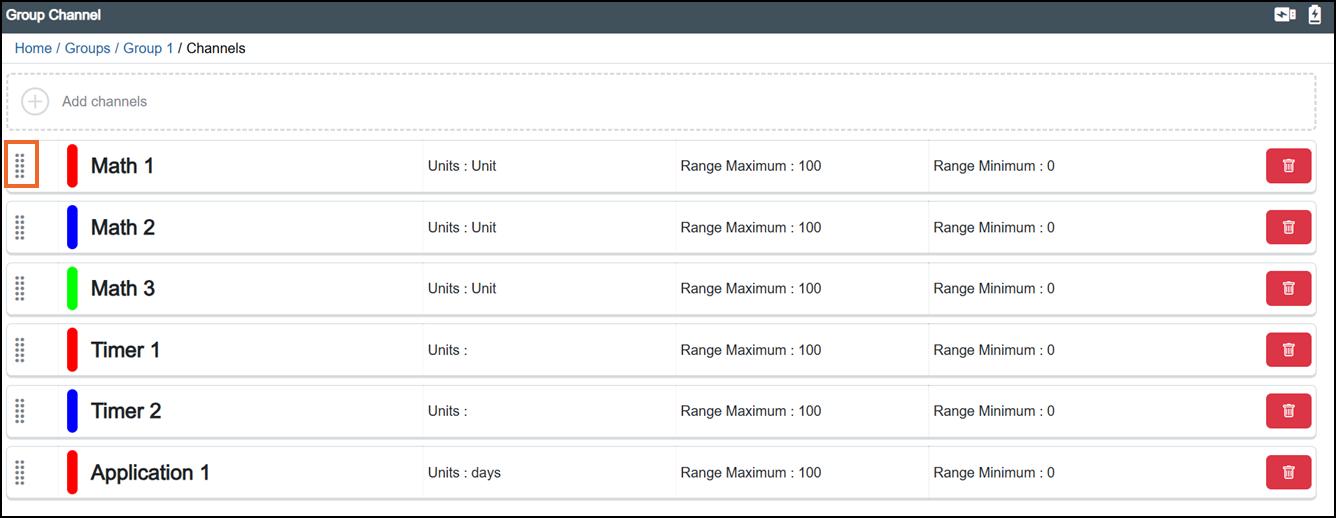
-
Once complete, select Review pending changes
 screen to review updates to the configuration, and submit them. See Reviewing and Submitting Changes for details if required.Note - Reviewing and submitting can be completed in bulk once you have completed all your additions and/or updates.
Last update - July 2026